

ONE DATA | METADATA INTELLIGENCE
Connect. Extract. Enrich.
Connect your system. Extract and enrich the metadata and take the first steps toward building valuable Data Products, enabling migration, process mining or AI agents.
One DataMetadata Intelligence
Metadata Intelligence gives you a complete, up-to-date view of your data landscape without moving or copying the underlying data. Connect your IT systems or work from a metadata export. One Data extracts, enriches, and standardizes metadata into a single model, so you can search your assets, understand dependencies, trace lineage, and see how your systems connect.
Use that visibility to make better decisions about what to migrate, what to retire, what to connect, and what to turn into a reliable Data Product.
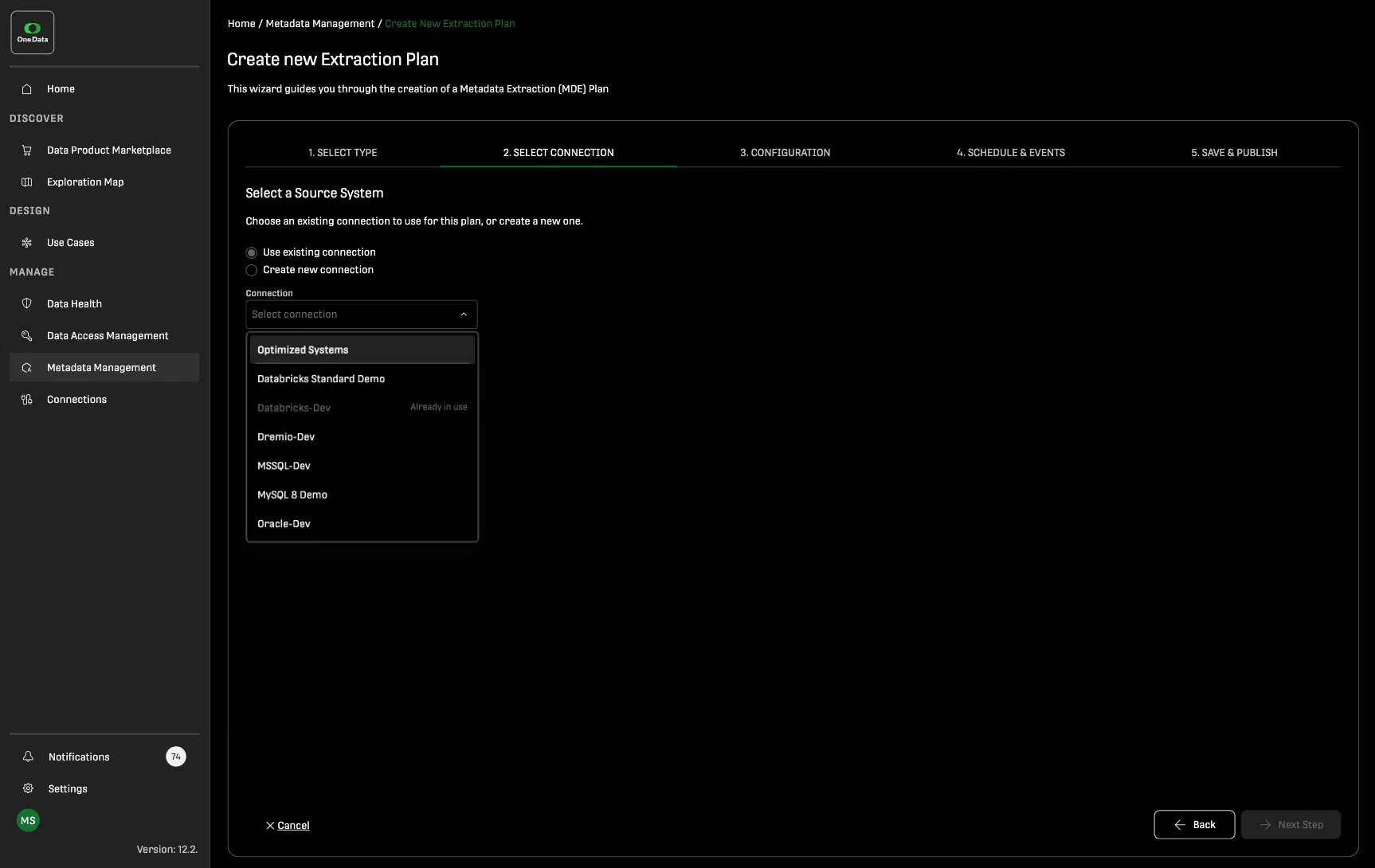
Connect directly to your IT systems or work from a metadata export when a live connection is not available.
Metadata extraction is read-only: One Data reads metadata, not the underlying data or payload, and never modifies your source systems.
Out of the box Metadata Extraction Templates cover systems including Snowflake, Databricks, SAP BW, PostgreSQL, Oracle, MySQL, MS SQL, MongoDB, Athena–S3, Power BI, Tableau, and Hive. Systems not supported out of the box can be added with the Metadata Extraction Builder.
One Data brings metadata from different systems into a single model and makes it searchable and explorable from one place.
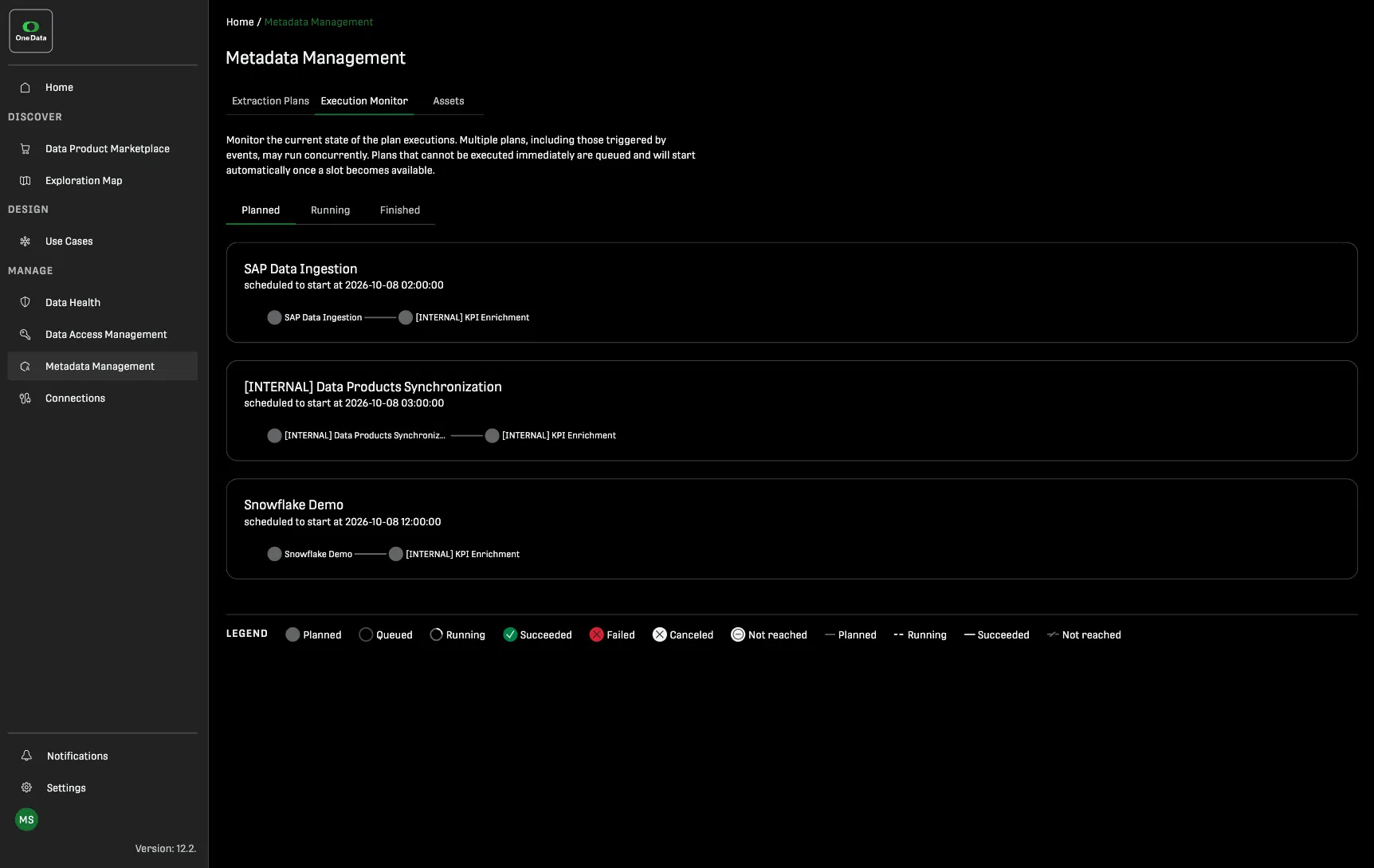
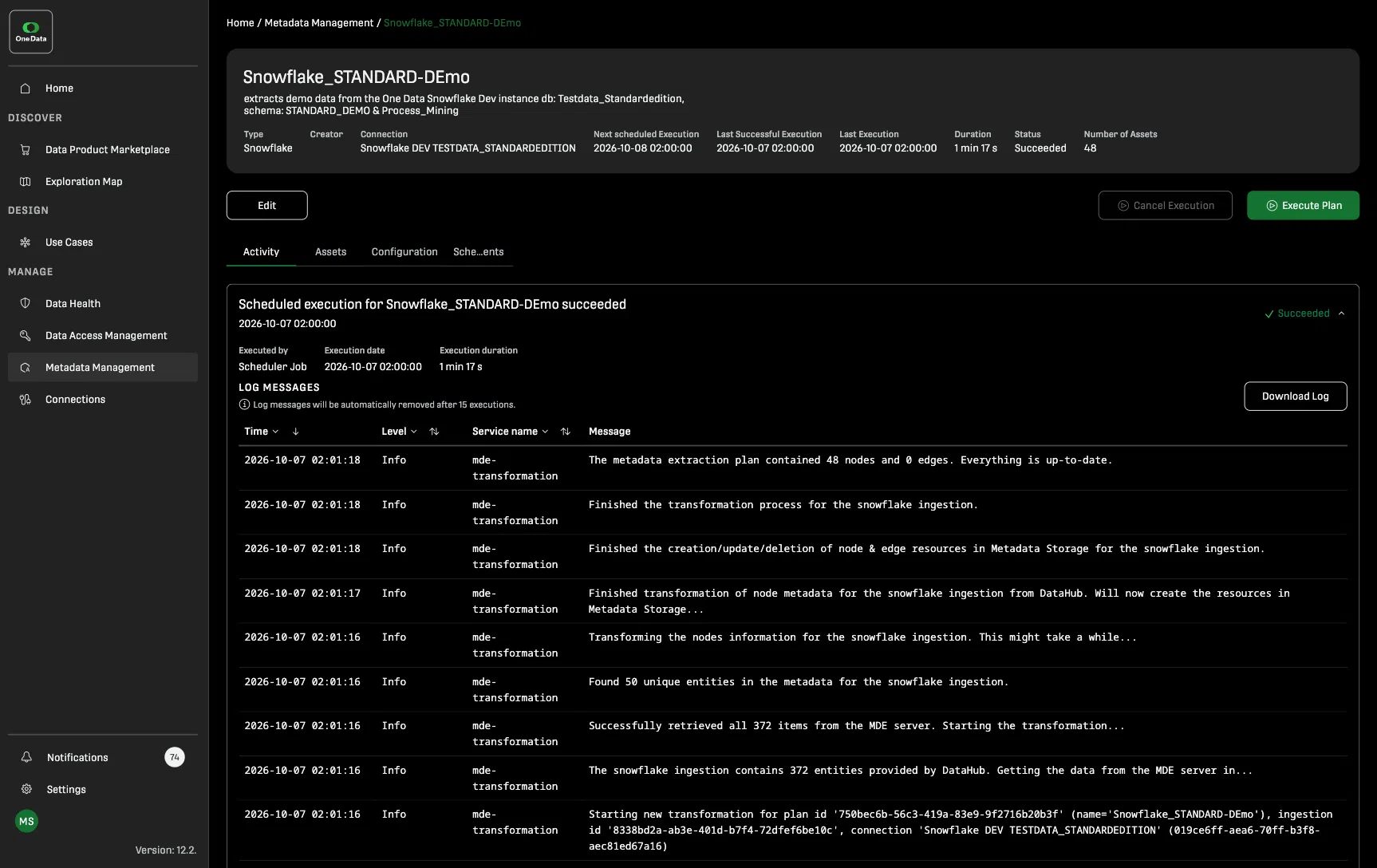
Search and filter assets, inspect schemas and descriptions, follow lineage, and explore relationships across systems. Keep metadata current with scheduled extraction plans and monitor every run through the execution monitor.
Metadata can tell you what an asset is. Additional context can tell you what it means.
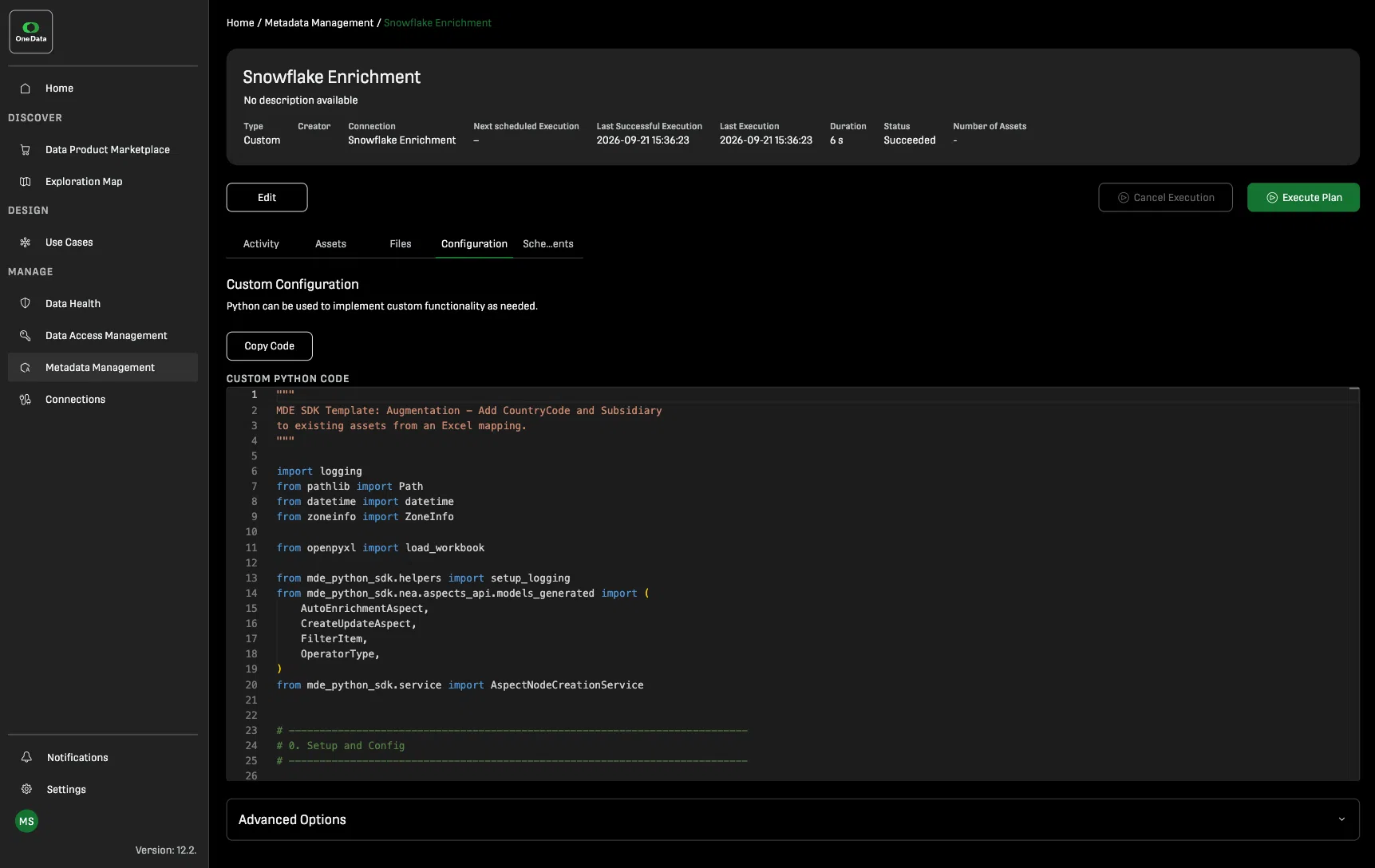
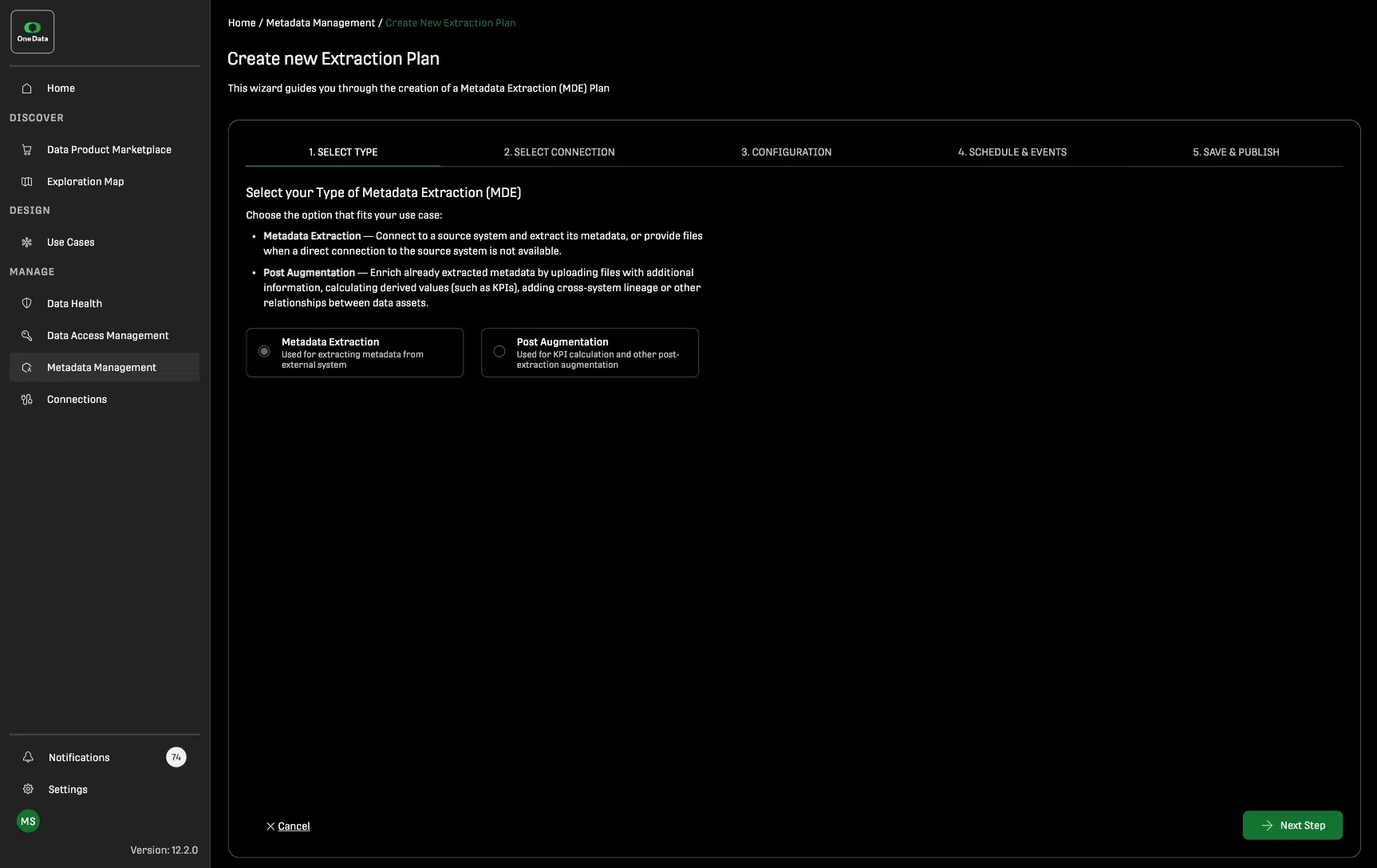
Enrich metadata automatically during extraction or add information afterward through post-augmentation. Bring in context from sources such as Excel files or APIs, connect information across systems, and use AI-assisted templates to generate enrichment logic.
Make SAP BW migration decisions based on evidence, not assumptions
SAP BW metadata shows you what is still in use, what depends on what, and where redundancy exists. Usage counts, queries, column types, descriptions, and lineage give you a clearer picture of what needs to be migrated and what may be ready for retirement. Instead of treating the existing BW landscape as one migration scope, you can use the metadata to decide what is worth carrying forward.
The same metadata can then support One Data’s SAP BW translation and migration capabilities, taking the findings from planning into execution.
See dependencies before they become migration problems
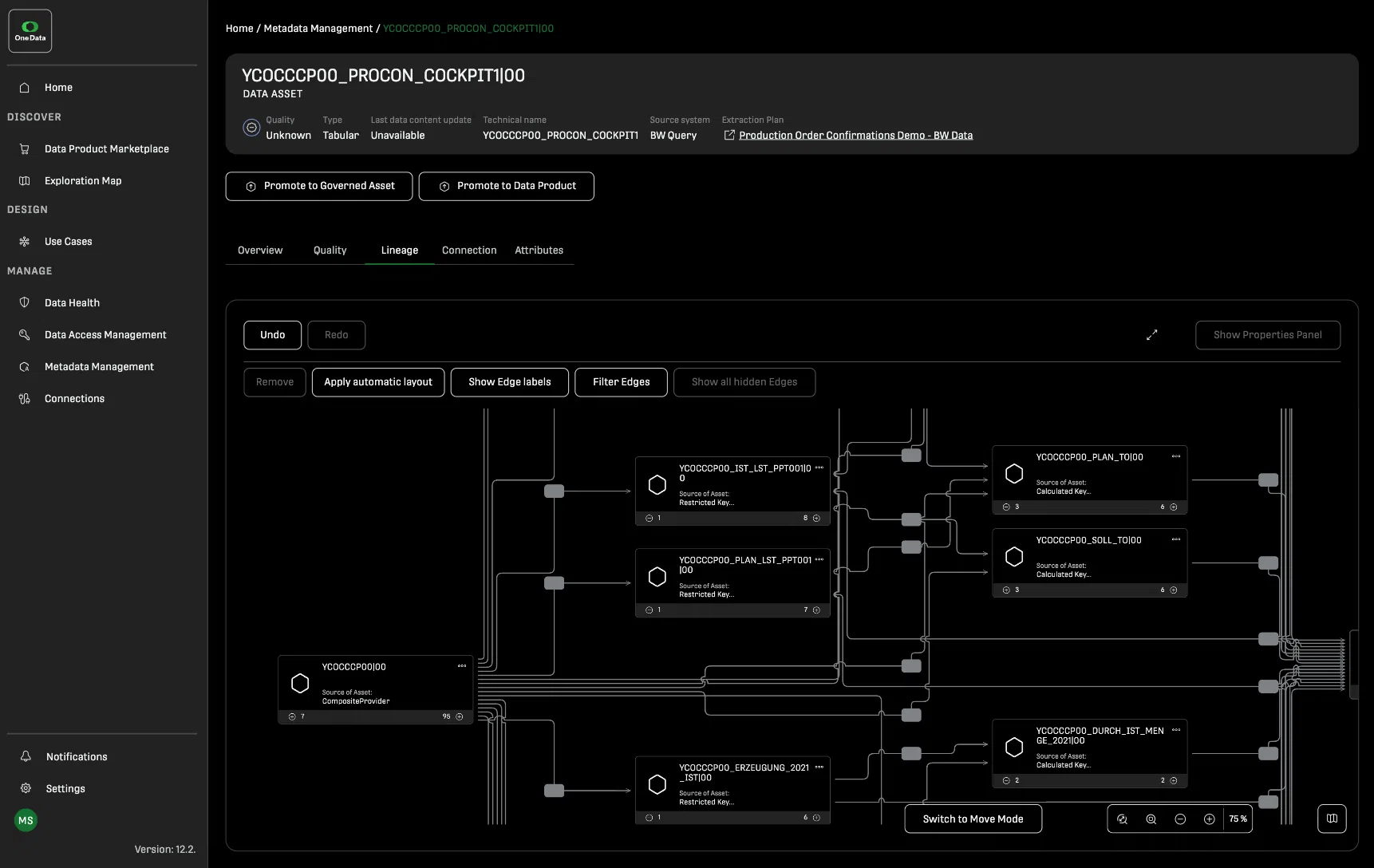
Lineage shows how assets connect across your data landscape. Trace how an SAP BW query connects to calculated key figures and CompositeProviders, expand individual nodes, and follow dependencies across systems. This helps you understand what will be affected when an asset changes, moves, or is retired.
Enrich your metadata beyond the source system
Technical metadata tells you what exists. Additional context helps you understand what it means. With post-augmentation, you can enrich existing metadata with information from sources such as Excel files or APIs. Add country codes, subsidiaries, business classifications, or other context and merge it into your existing assets.
You can also use AI-assisted Python templates to generate and refine enrichment logic. Relationships created through enrichment can then become visible in the lineage view.
Keep your data landscape current as your systems change
Your data landscape is not static. Extraction plans let you refresh metadata on demand, on a schedule using a cron expression, or in response to an event.
The execution monitor gives you visibility into every extraction run. You can see the current status, run duration, and number of assets created, as well as the complete execution history. This makes it easier to identify and troubleshoot failed runs or configuration issues.
Frequently AskedQuestions
Metadata Intelligence is One Data’s capability for collecting, standardizing, enriching, and working with metadata across your data landscape. It provides a common view of assets and their relationships, so you can search, explore, trace lineage, and understand dependencies across systems without moving the underlying data.
Create an extraction plan, select a connection or metadata export, and configure what should be extracted. Plans can run on demand, on a schedule using a cron expression, or in response to an event. The extracted metadata is then standardized and made available throughout One Data.
Every extracted asset is searchable. Use full-text search and filters to find assets by attributes such as table or query type. Open an asset to inspect its metadata, including column schemas, data types, descriptions, and other available attributes. A direct link can take you back to the corresponding asset in its source system.
Metadata enrichment adds additional information to the metadata already extracted into One Data. Some enrichment happens automatically during extraction. You can also enrich metadata afterward through post-augmentation, using information from sources such as Excel files or APIs.
Post-augmentation lets you add context to existing metadata after extraction. For example, you can use an Excel file containing country codes or subsidiaries and merge that information into existing assets. You can also use external APIs or AI-assisted Python templates to generate and refine enrichment logic.
Post-augmentation is particularly useful when different systems provide different levels of metadata. It can also establish relationships between information from different sources, making those connections visible in lineage.